6.0 KiB
Day 0
When you start programming half the battle is getting your bearings. Suddenly it matters where you put your files. You need to know where you home directory is, you need to understand file permissions, you need to understand what a file actually is. Trying to program without first learning about the thing you are programming will cause headache.
Fortunately we can do some things to make your life easier. We can install an Integrated Development Environment (IDE): a program that lets you visualize your files and folders and quickly switch between them. We can install a version control system (VCS) that will let you "snapshot" your code and save it to the cloud so you never lose it. We can organize our project to be repeatable, and more importantly, un-loseable.
I have a Windows PC
(or skip to I have a Mac)
Install Git (windows)
Git is a version control program, but you can think of it as your best friend in the cold, dark world of data loss. Git will make sure you don't lose progress. It lets you save your code at various stages and revert to previous saves if you need to. Like mentioned above, it takes a "snapshot" of your code at that point in time.
-
Head to https://git-scm.com/
-
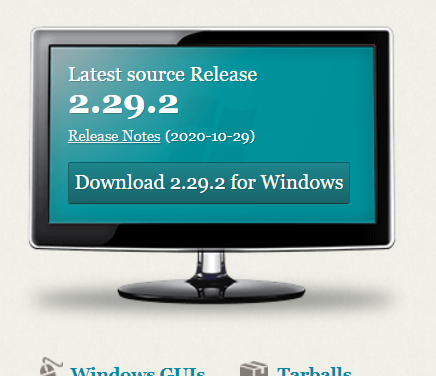
Click Download
-
Run through the default install process

Install Java (windows)
-
Head to https://ninite.com
-
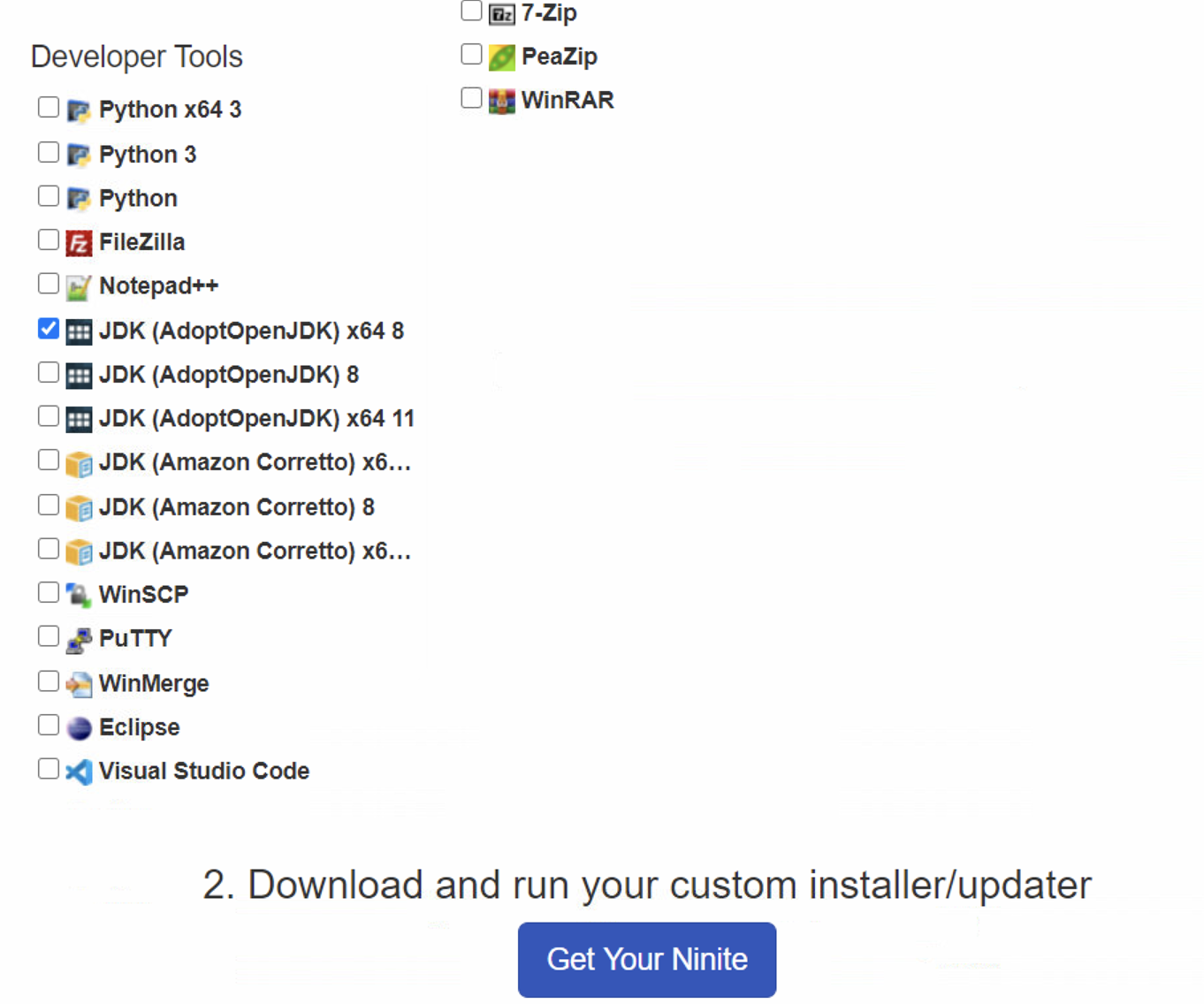
Under the Developer Tools section, check the JDK (AdoptOpenJDK) x64 8 option and then Get Your Ninite
-
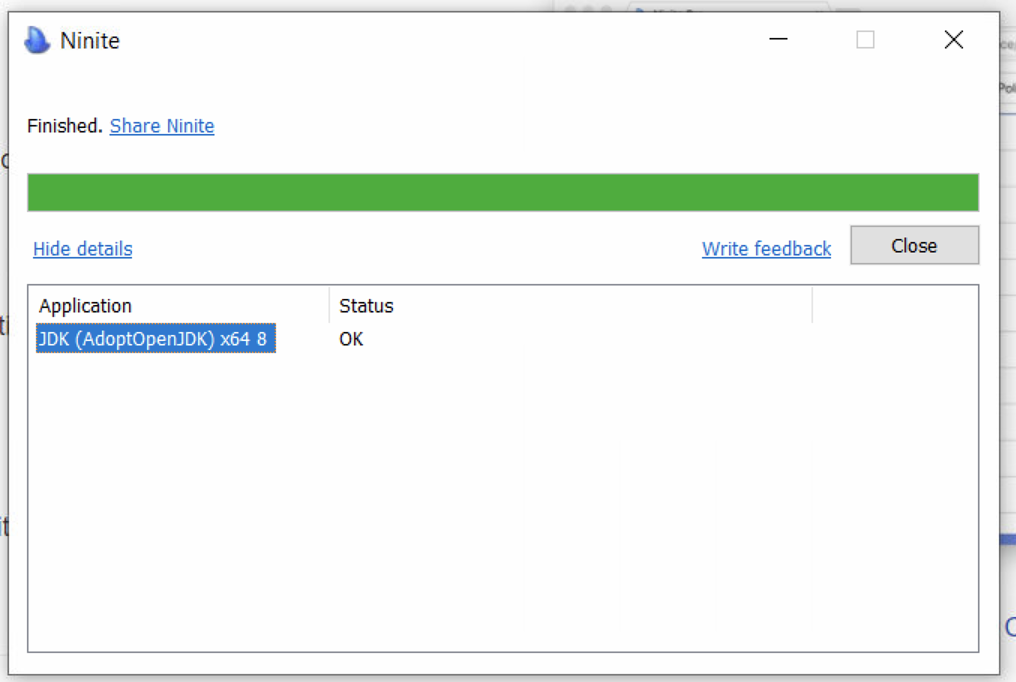
Once the file has finished downloading, click on the installer to Run through the install process.


Add Java to path (windows)
-
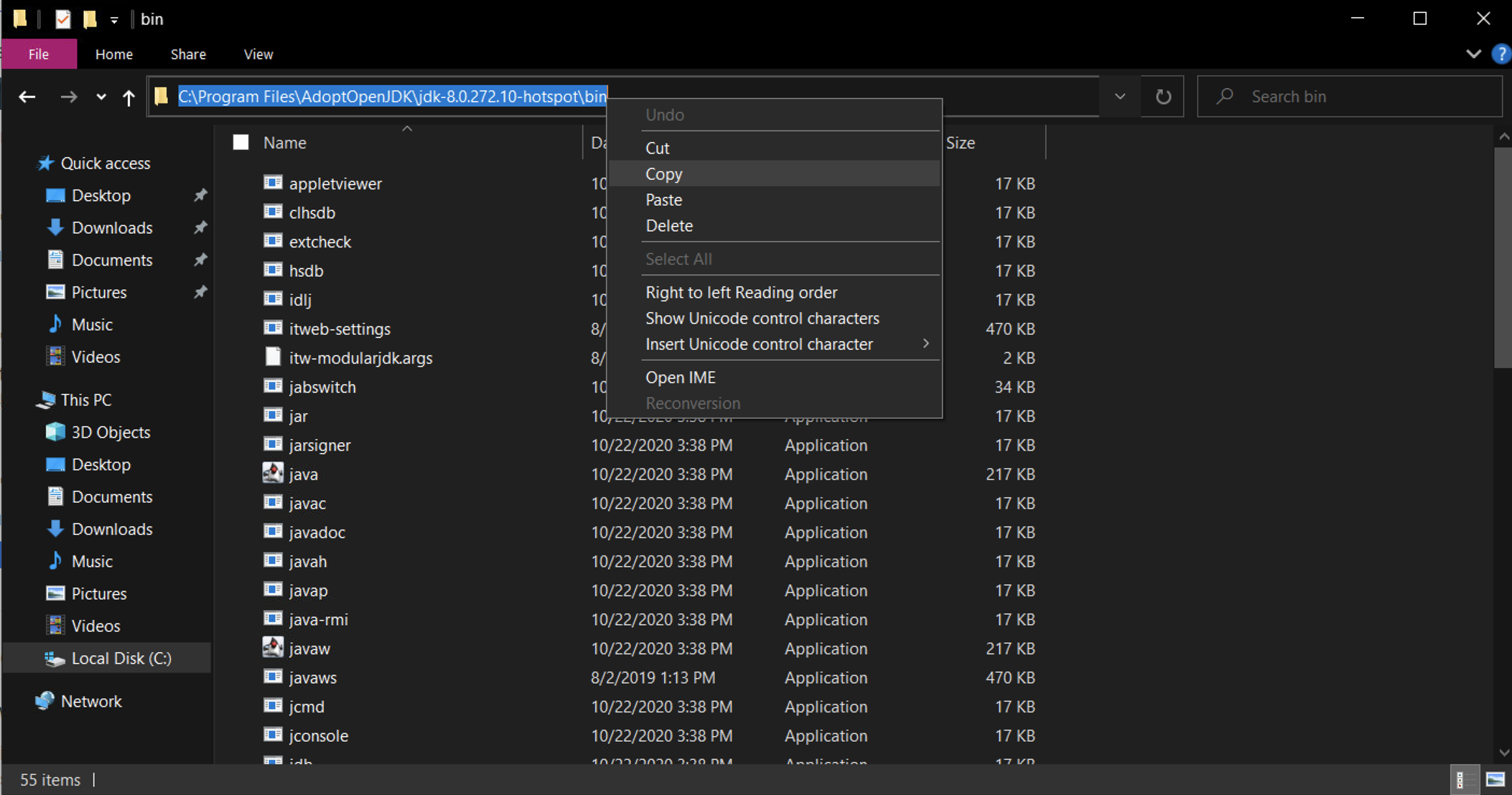
Open the File Explorer, and navigate to
C:\Program Files\AdoptOpenJDK\jdk-8.x.xxx\bin -
Copy the path to your clipboard
-
Now click the Windows Start Button
-
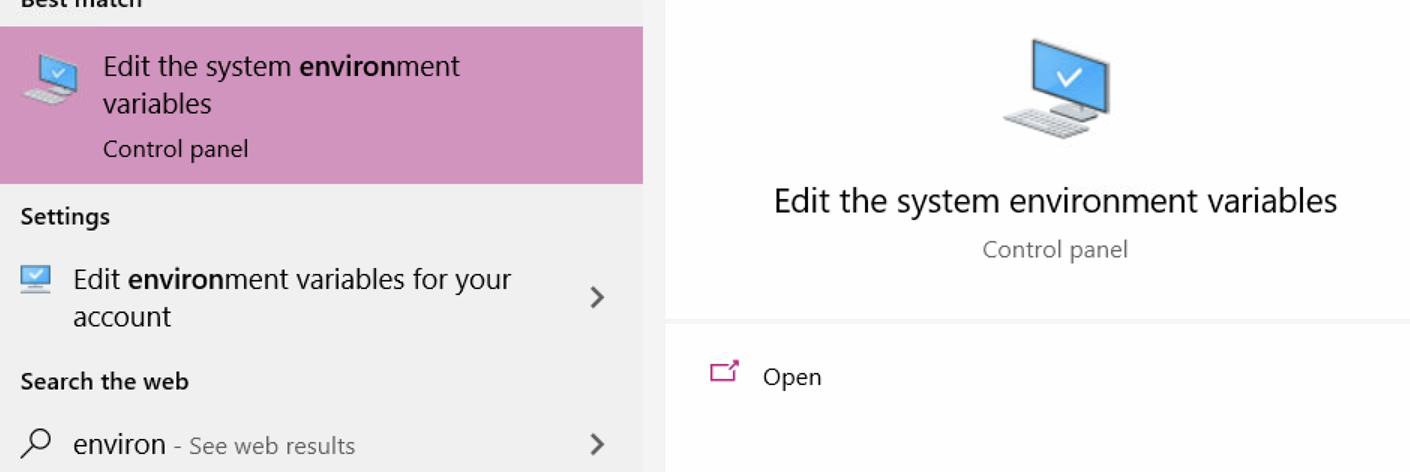
Start typing environment
-
Click on Enter the System Environment variables
-
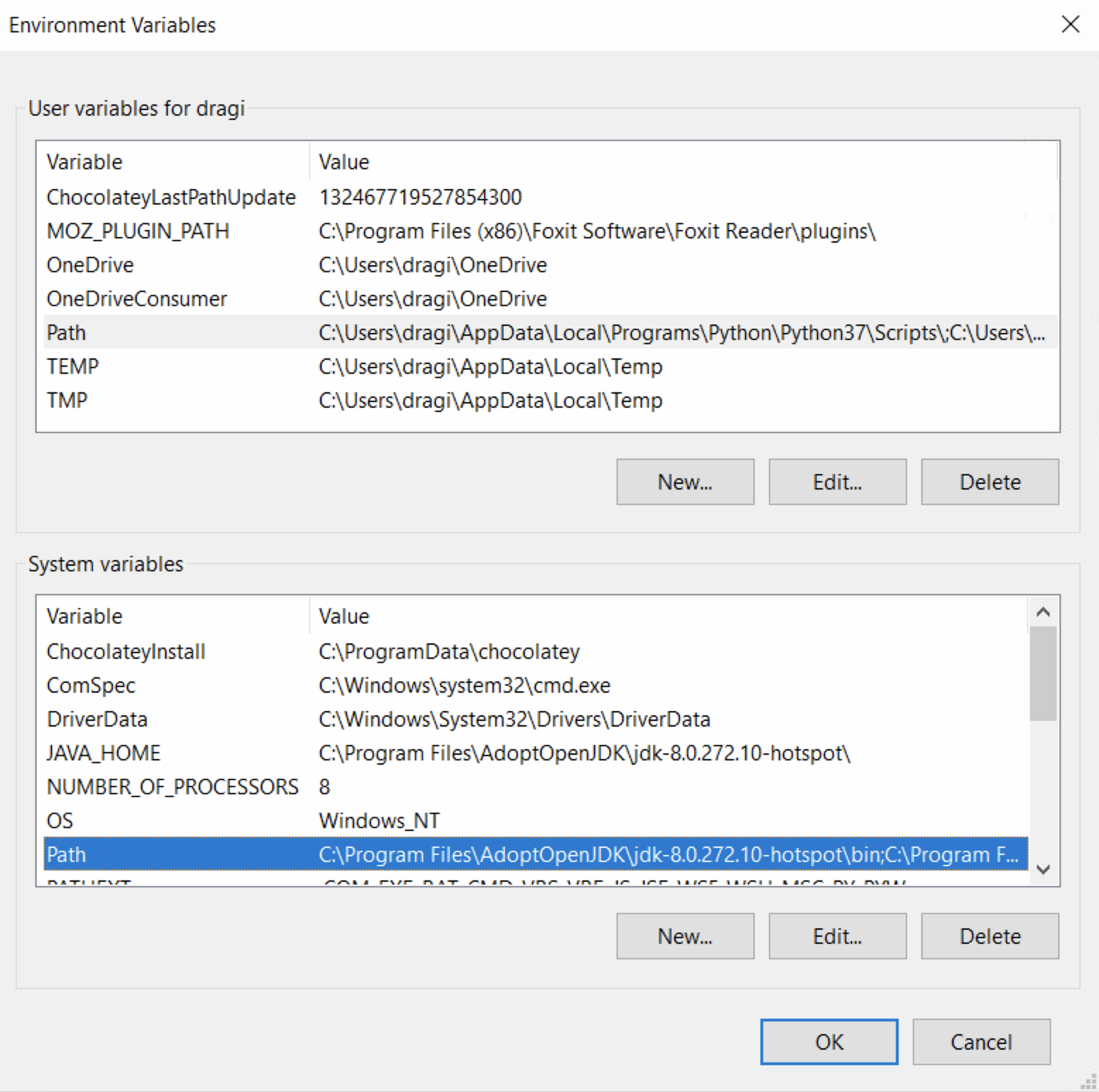
Click on Environment Variables..
-
Under the System Variables section, find and click the Path entry and then click Edit
-
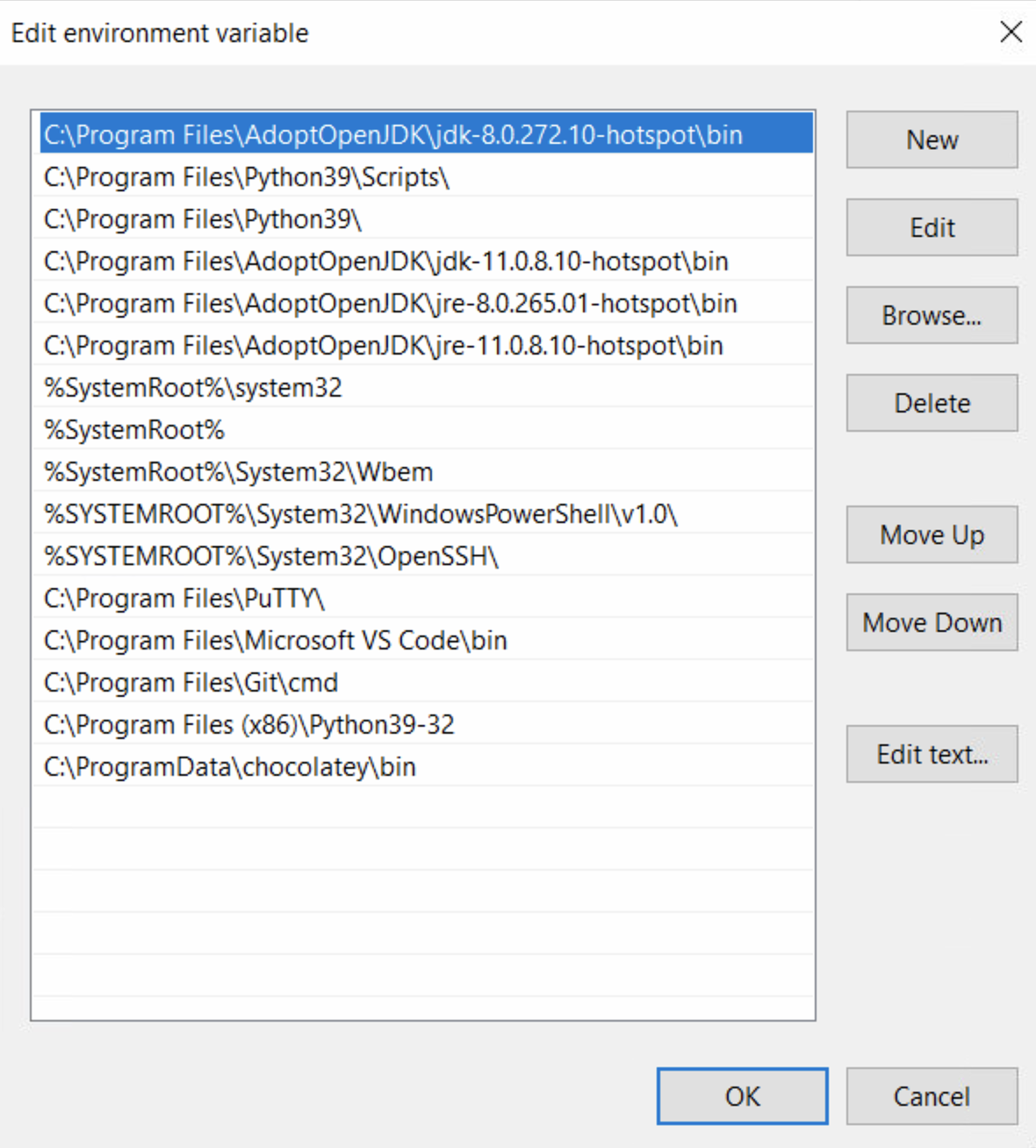
Click New and paste in the path copied in Step 1 and click OK
-
Reboot your computer


Install BlueJ (windows)
Your most important tool as a programmer is a proper editor. It should offer you a wide selection of tools but get out of your way when you don't need it . While there are manny advanced editors and IDEs out in the wild, its always good to start with the basics, to get a proper grasp and understanding of the language.
-
Head to https://bluej.org/
-
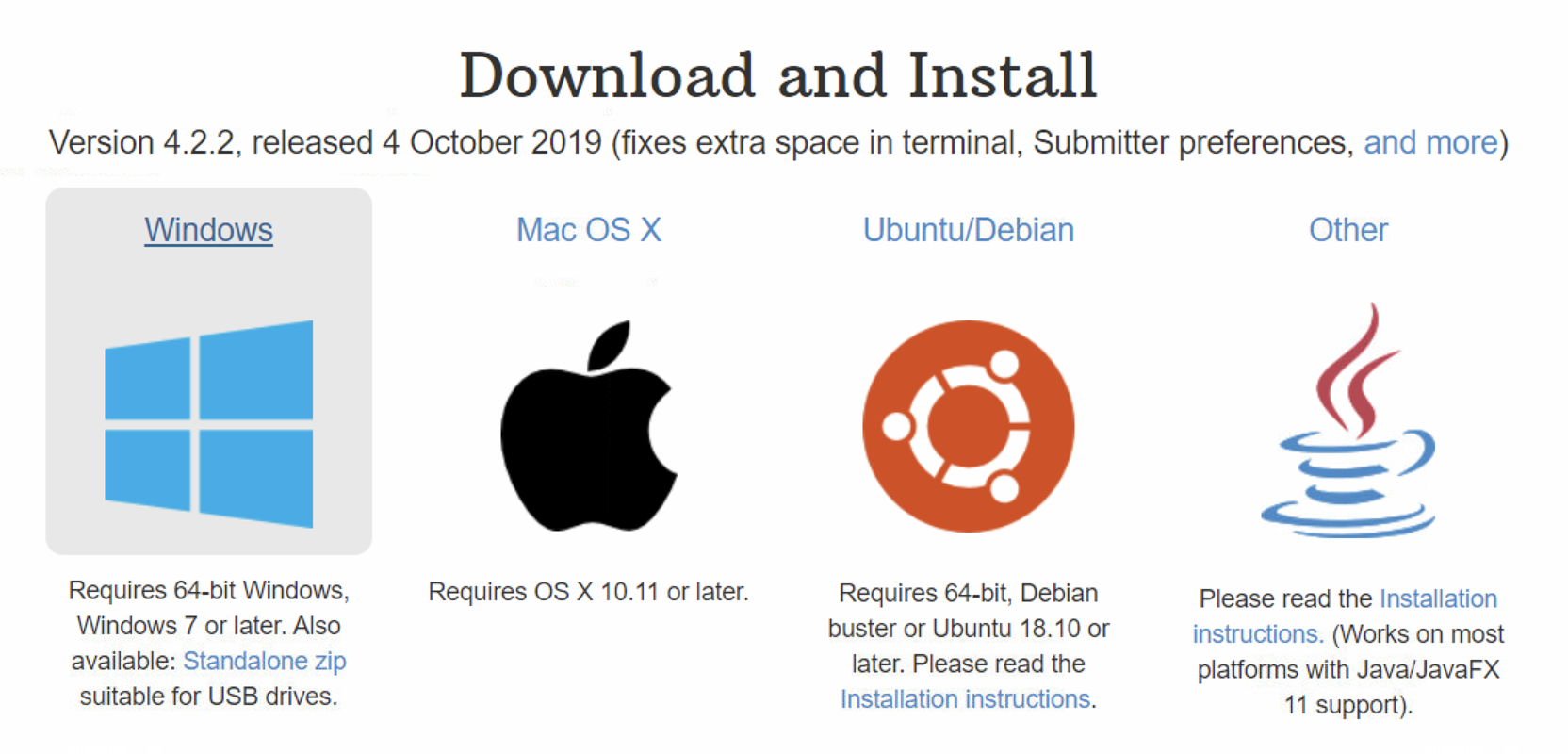
Click on the download link
-
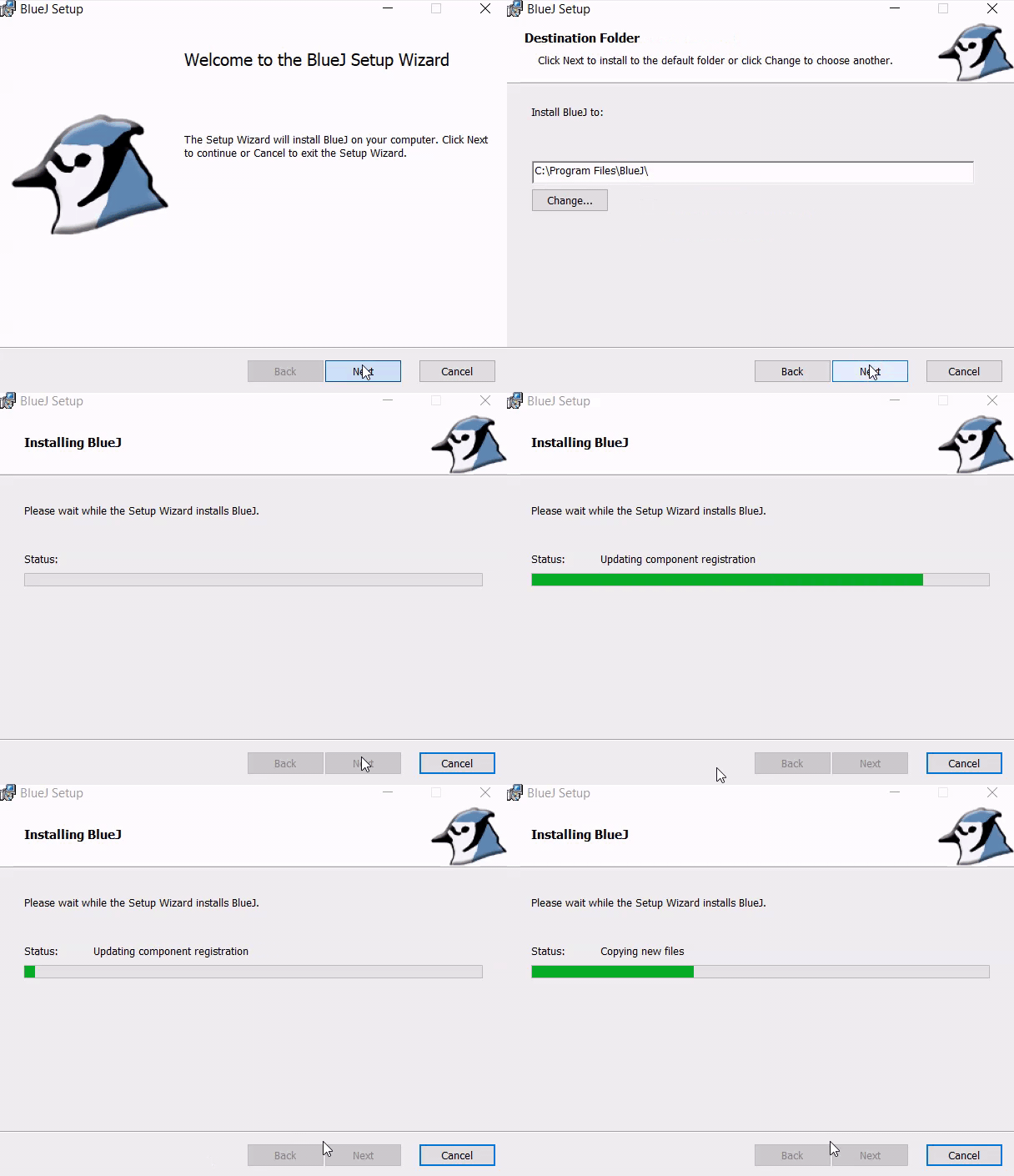
Run through the installer, select default options
-
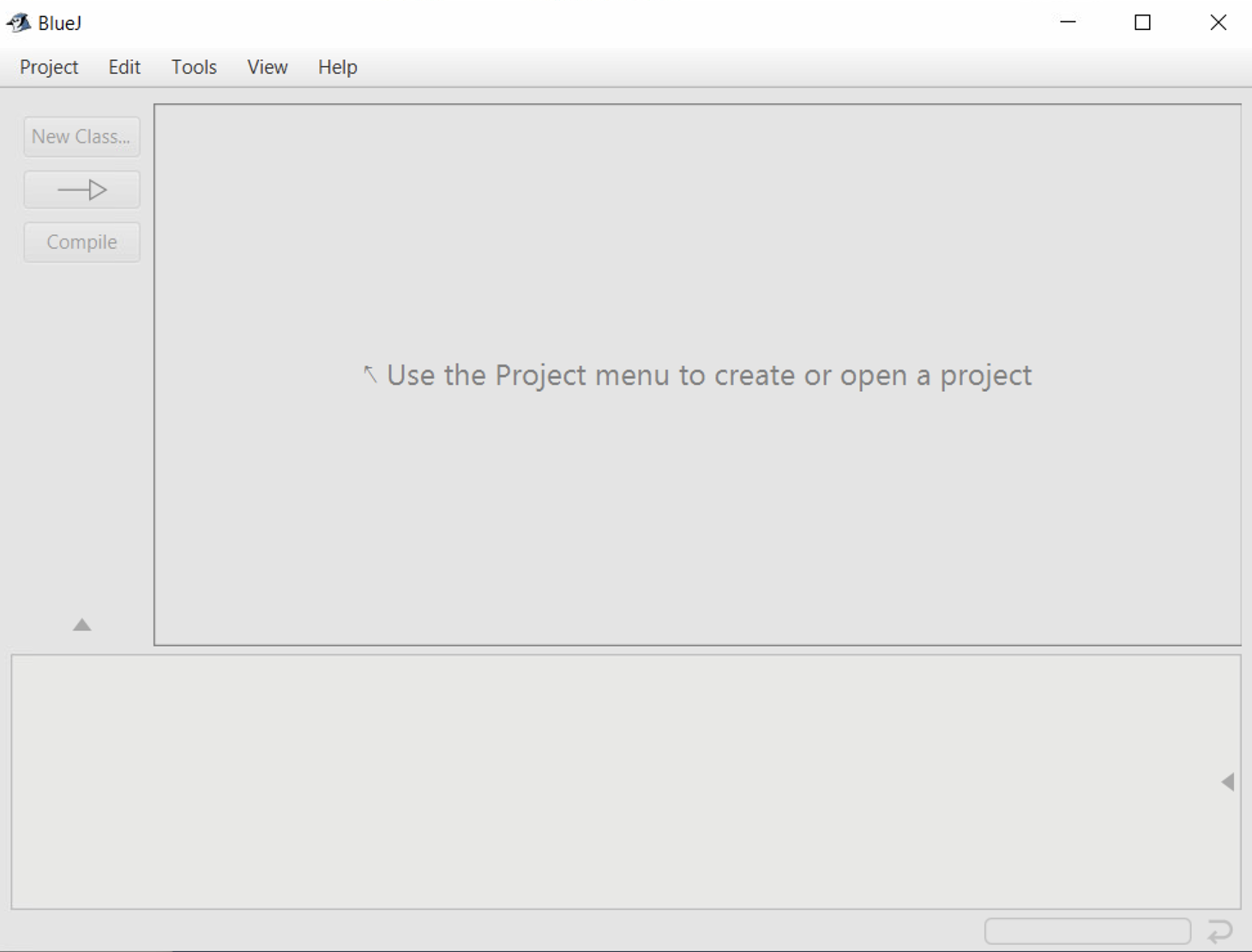
Open BlueJ


Create a "Projects" folder (windows)
I keep all my projects in a folder called "Projects" in my home directory. On Windows this is at C:\Users\<your username>\Projects. Create this folder now. Bookmark it, put it in your favorites, don't lose it.
-
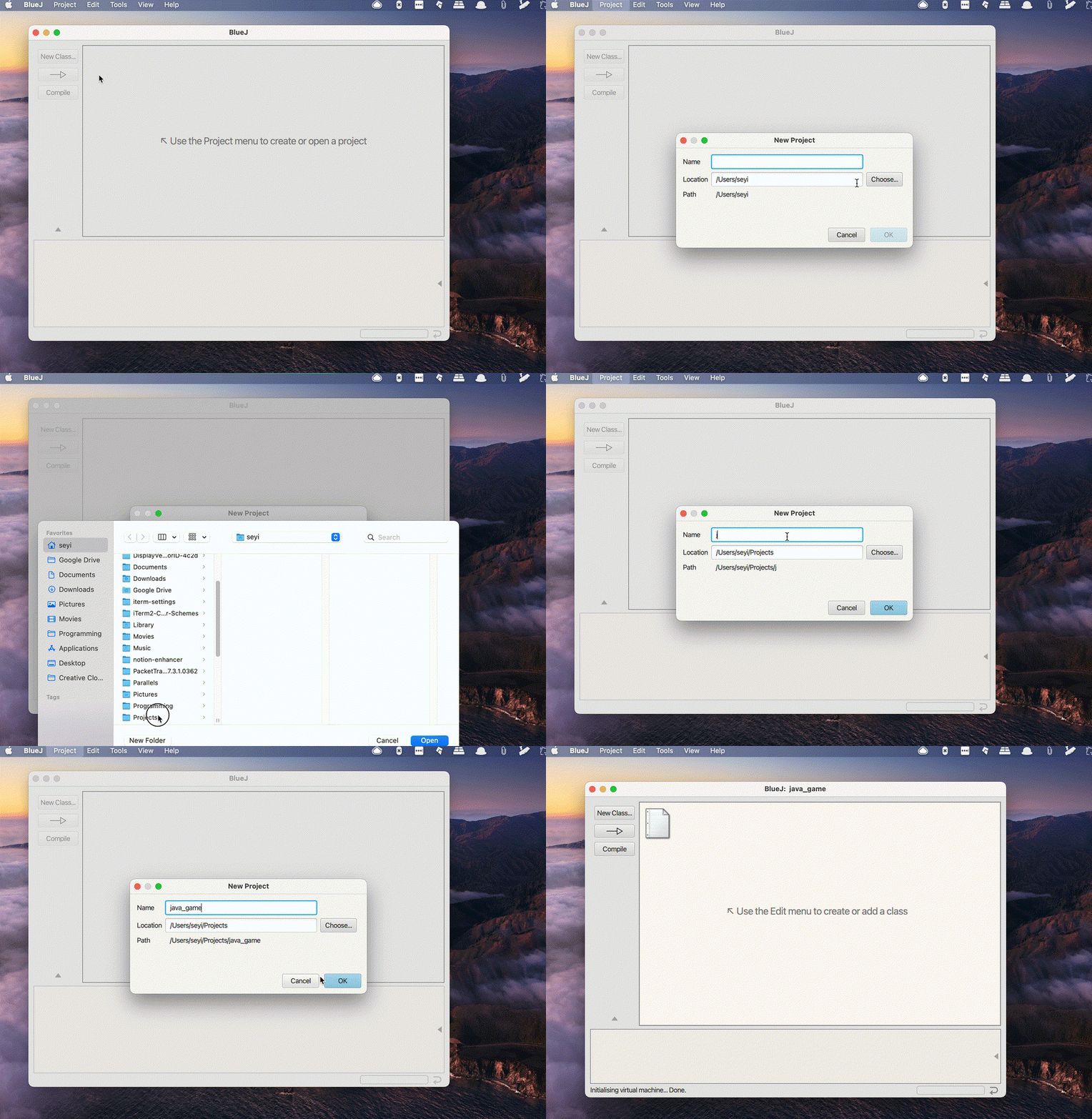
In BlueJ, go to the Project menu and click on New Project
-
For the Name, enter
java_game, for the Location, select theProjectsfolder you created in the step above.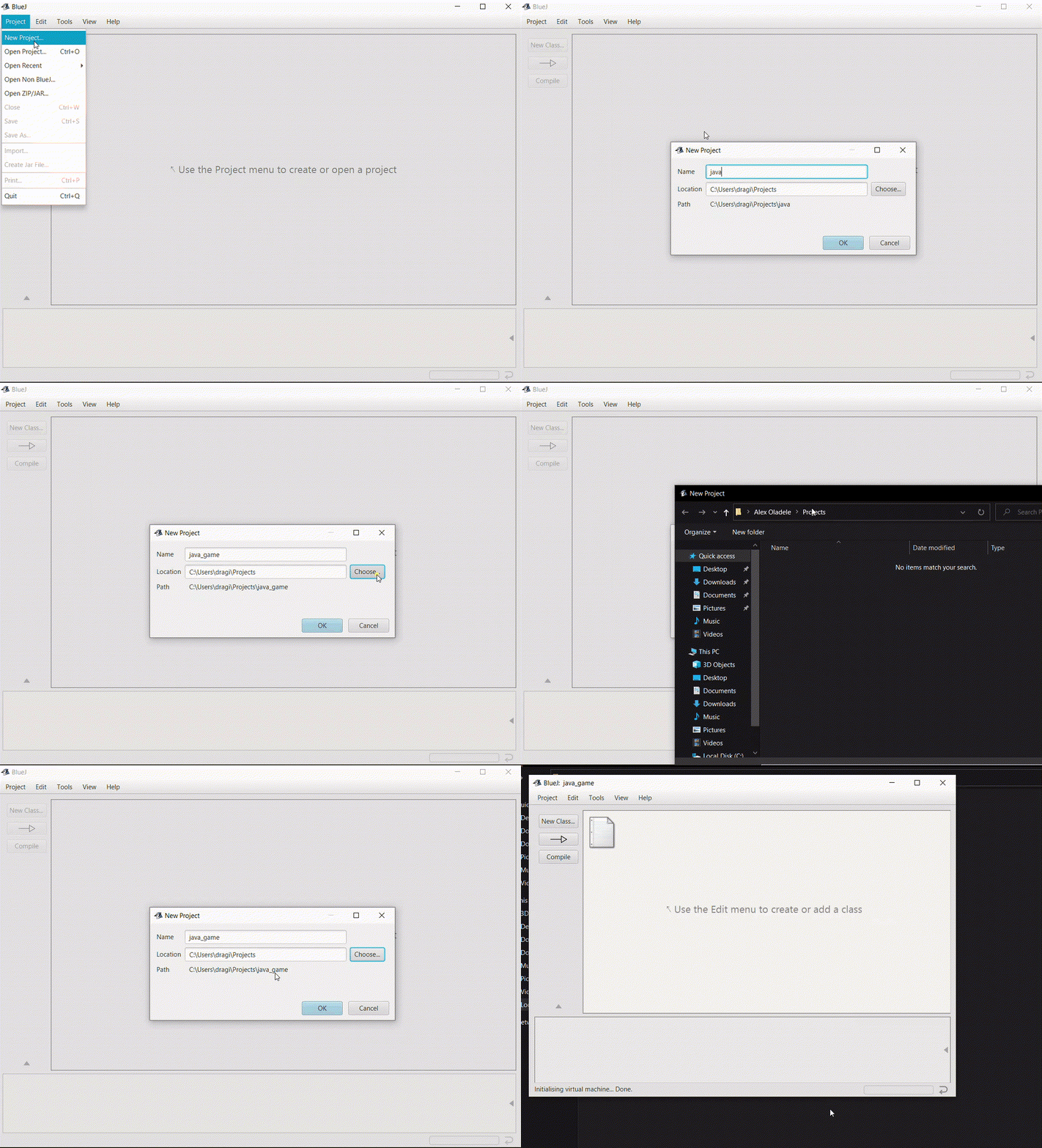

I have a Mac
Install Git (mac)
Git is a version control program, but you can think of it as your best friend in the cold, dark world of data loss. Git will make sure you don't lose progress. It lets you save your code at various stages and revert to previous saves if you need to.
-
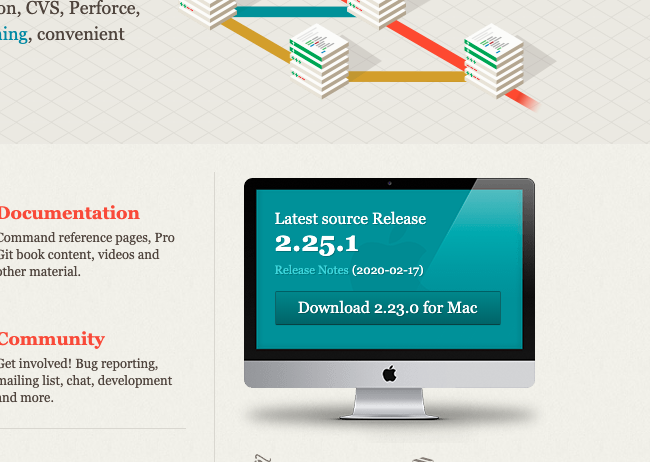
Head to https://git-scm.com/
-
Click Download
-
Run through the default install process

Install Python (mac)
-
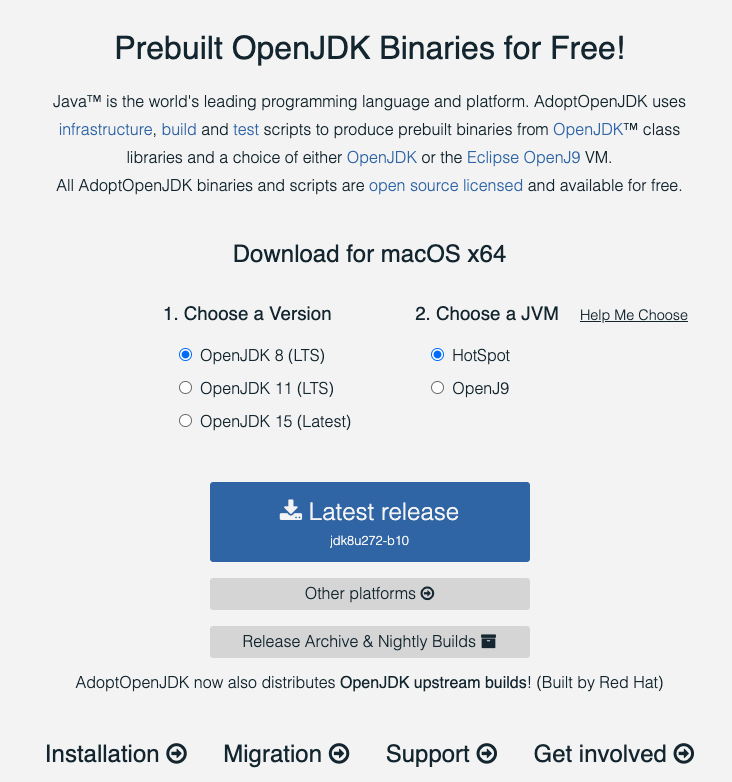
Head to https://adoptopenjdk.net/
-
Select OpenJDK 8 (LTS) for version, and HotSpot for JVM and click the Latest Release download button
-
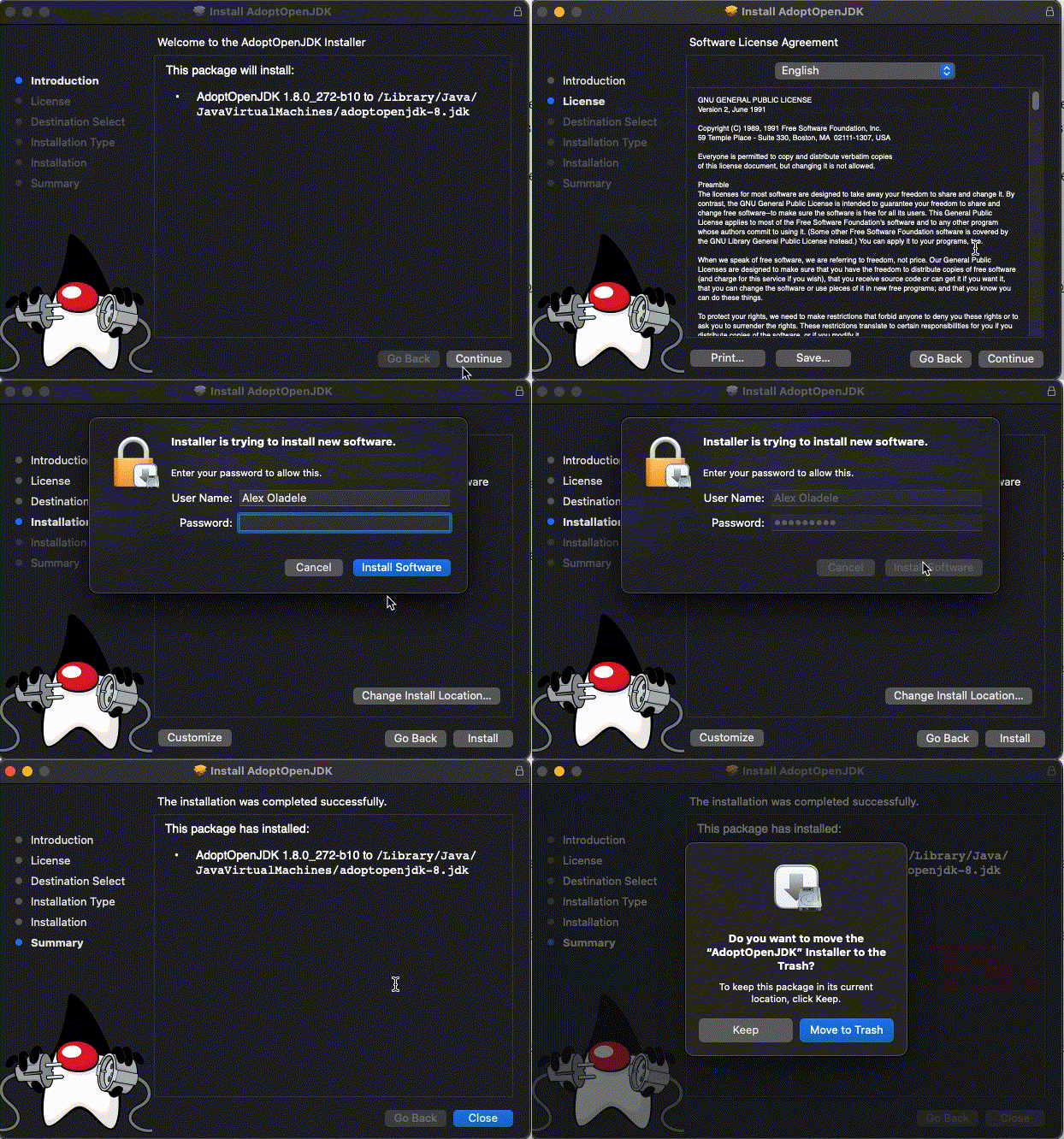
Follow the standard install process


Install BlueJ (mac)
Your most important tool as a programmer is a proper editor. It should offer you a wide selection of tools but get out of your way when you don't need it . While there are manny advanced editors and IDEs out in the wild, its always good to start with the basics, to get a proper grasp and understanding of the language.
Your most important tool as a programmer is a proper editor. It should offer you a wide selection of tools but get out of your way when you don't need it . While there are manny advanced editors and IDEs out in the wild, its always good to start with the basics, to get a proper grasp and understanding of the language.
-
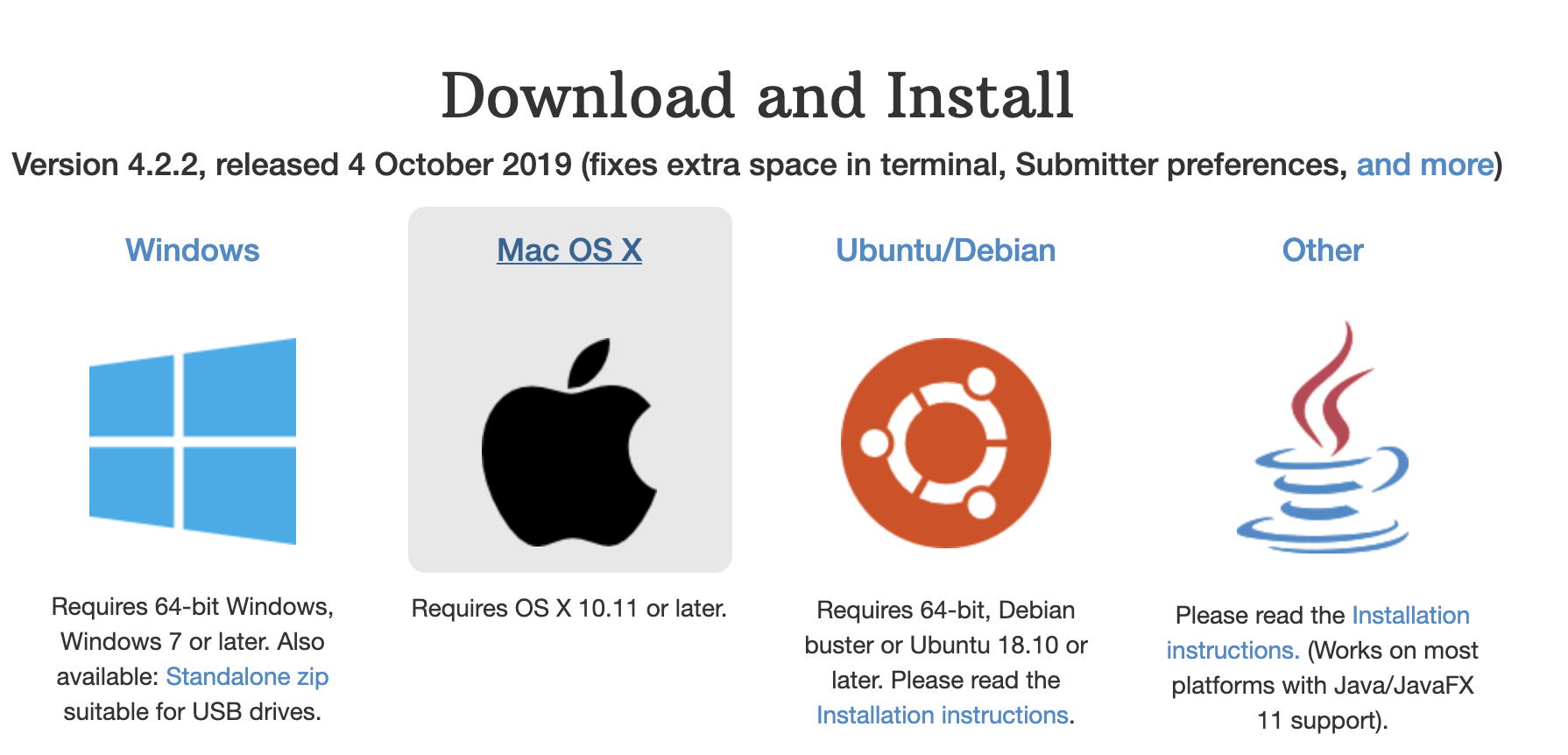
Head to https://bluej.org/
-
Click on the download link
-
Click on the BlueJ mac zip that was downloaded to automatically unzip the file
-
In the BlueJ folder that was just created, drag
BlueJ.appto yourApplicationsfolder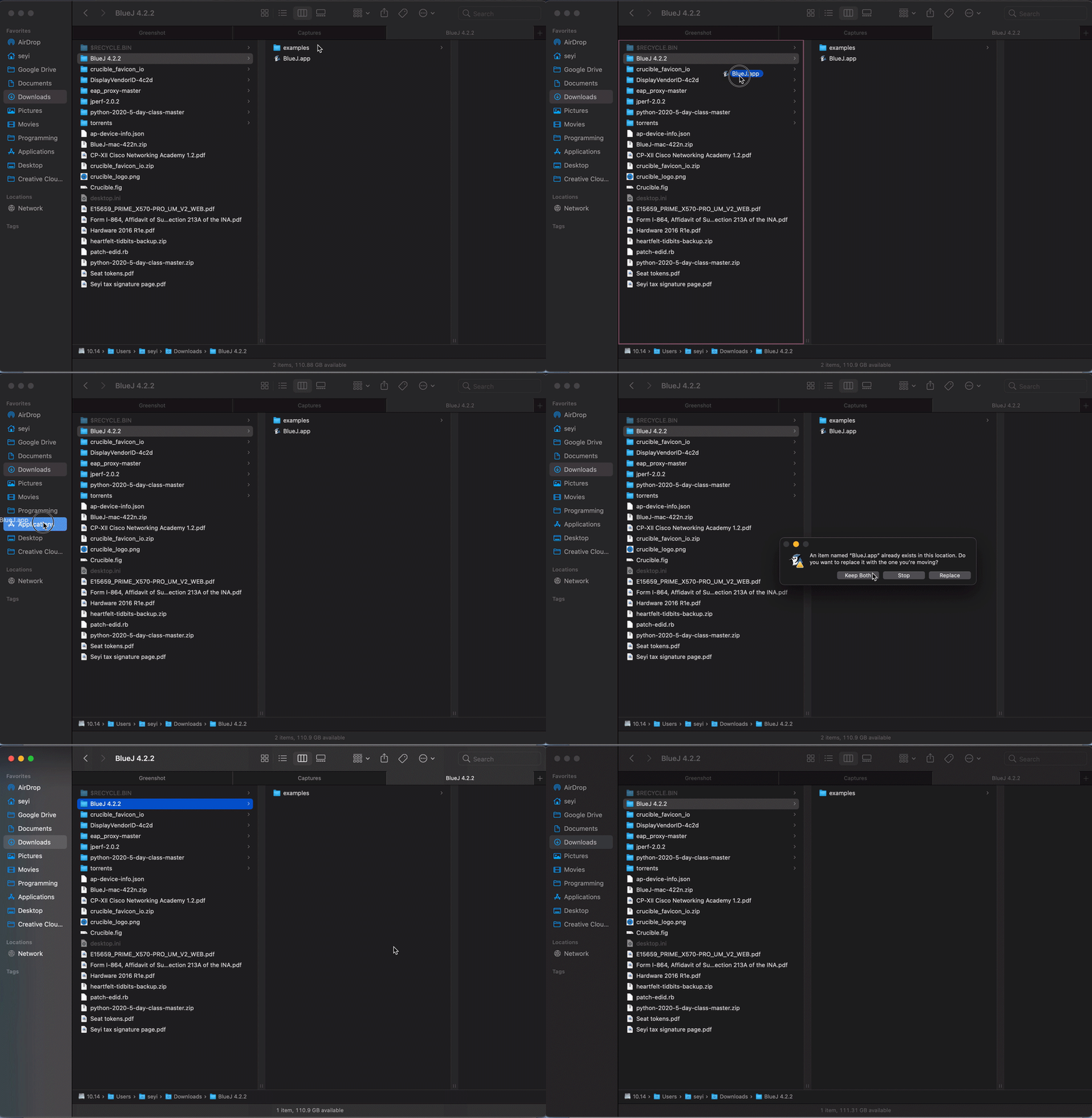
-
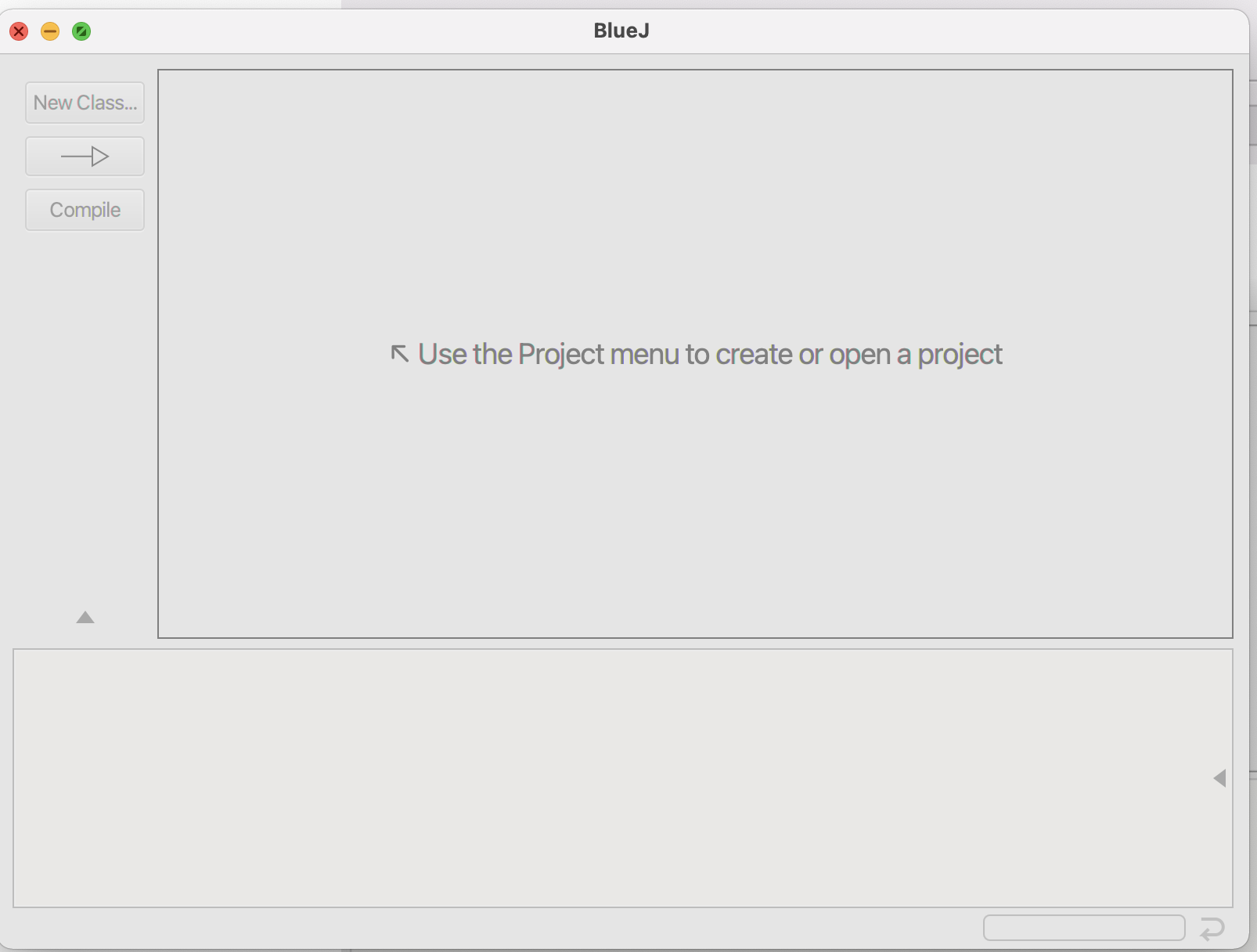
Open BlueJ


Create a "Projects" folder (mac)
I keep all my projects in a folder called "Projects" in my home directory. On Windows this is at /Users/<your username>/Projects. Create this folder now. Bookmark it, put it in your favorites, don't lose it.
-
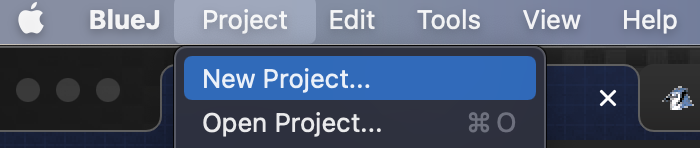
In BlueJ, go to the Project menu and click on New Project
-
For the Name, enter
java_game, for the Location, select theProjectsfolder you created in the step above.